Automated GL postings in FinanceKey: from bank statement transactions to ERP-ready journal entries
FinanceKey now enriches tagged transaction data with GL dimensions automatically, so journal entries are ready for your ERP to post, without manual coding.
Treasury management platforms are good at giving treasury teams visibility into cash. They are not always good at providing the transaction-level context that accounting needs.
As a result, the two functions often work from different views of the same data: treasury sees bank balances and cash movements, while accounting needs to understand the purpose of each individual transaction, identify what each bank transaction relates to, match it to the correct receivable or payable, and post it to the appropriate general ledger (GL) account.
Before a journal entry can be created, each transaction must be tagged with the correct accounting dimensions: GL account, cost centre, entity, project, and more. For many finance teams, this is still a manual process.
FinanceKey now gives finance teams the flexibility to decide where transaction coding takes place – and the ability to automate it to a much greater extent. Using configurable rules with dynamic GL coding, transactions are enriched with the required GL dimensions as they arrive, creating ERP-ready accounting data in real time and reducing manual coding before posting.
How it works
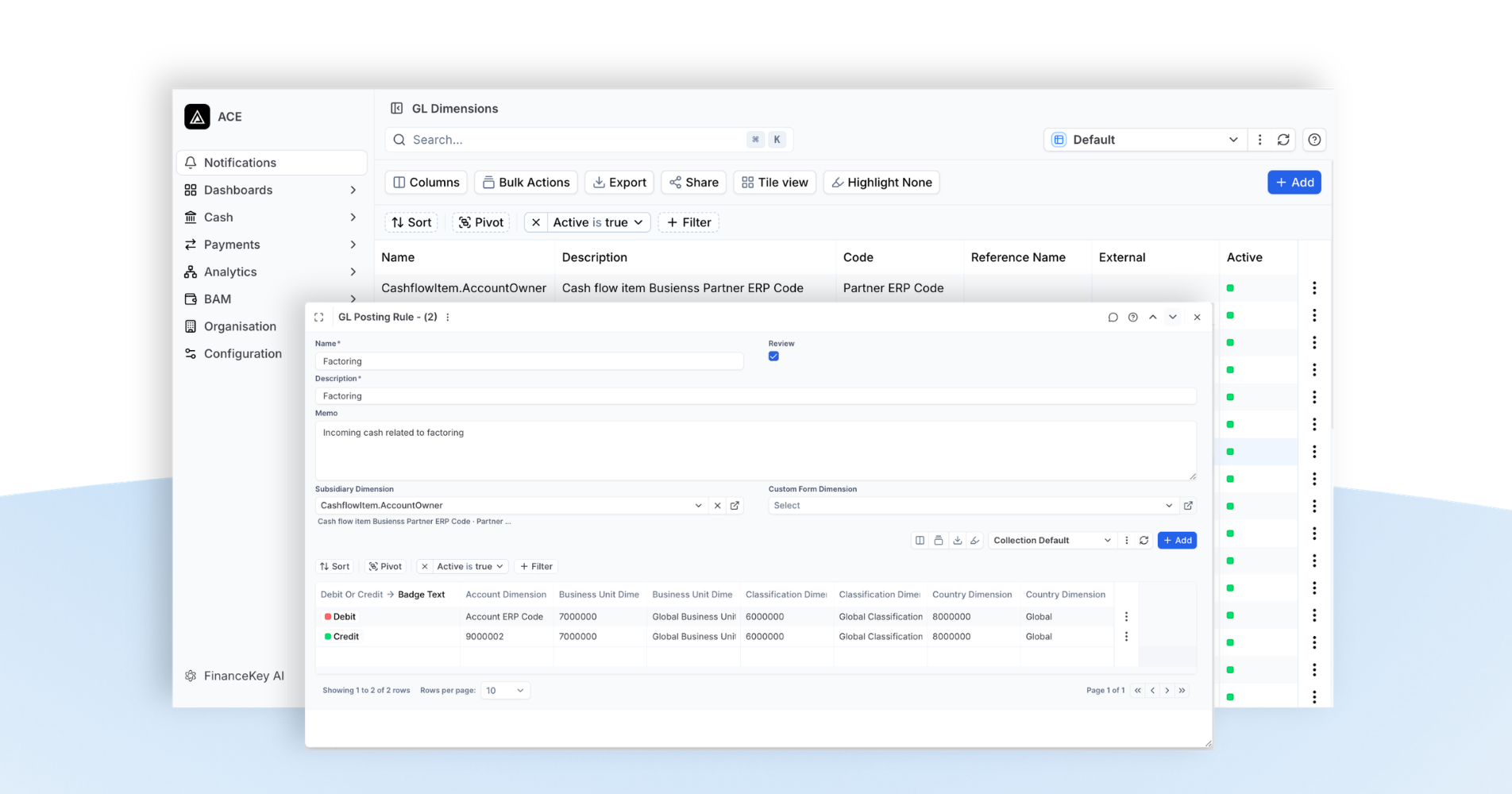
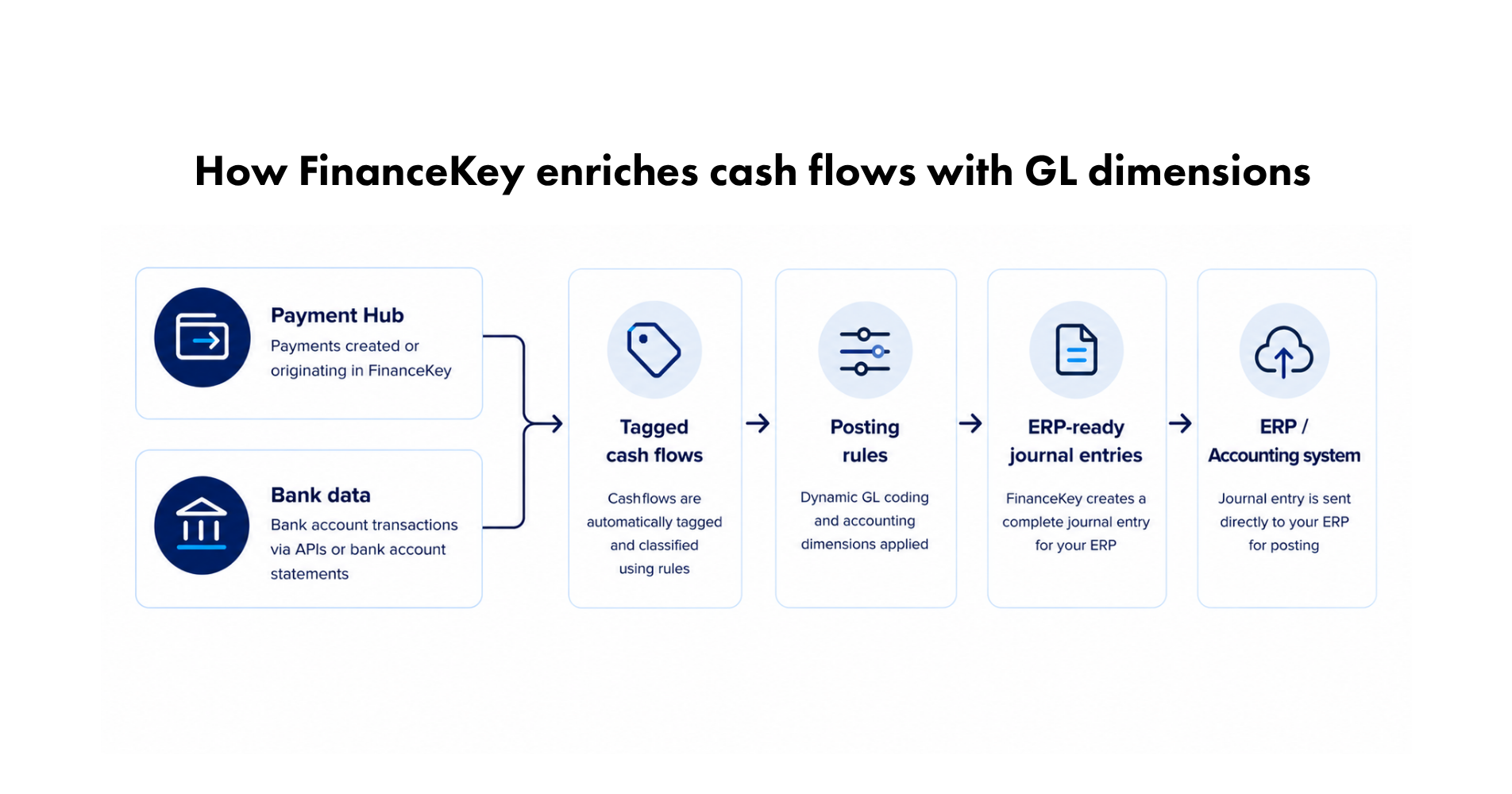
Once a bank transaction or payable is tagged in FinanceKey, it can carry a posting rule. The rule defines the GL accounts, accounting dimensions, and journal logic required for the transaction. From then on, every matching cash flow is automatically classified, enriched with the required GL dimensions, transformed into an ERP-ready journal entry, and sent directly to your ERP for posting.
Some parts of the rule can be fixed, like a GL account that never changes. Others adjust automatically depending on the cashflow, like which subsidiary it belongs to. Either way, the same rule always produces the same coding – in a consistent way – which is exactly why it can be trusted to run without someone reviewing transactions manually.
Timing matters too
Not every transaction should be coded and posted the moment it appears. Bank transactions go through a lifecycle: while they’re still pending, details can change. That’s why FinanceKey waits until a transaction reaches a confirmed, booked state before enriching it and creating the accounting entry.
The same principle applies across FinanceKey. Treasury teams get real-time visibility into transactions as they happen, but downstream systems receive only validated, final data. The result is a single real-time source of truth for treasury, without compromising the integrity of accounting data – keeping treasury and accounting perfectly aligned.
With instant access to bank transactions through APIs, journal entries no longer need to wait for overnight statement files or batch processes. Instead, accounting data can flow continuously throughout the day – as soon as transactions are final and ready for posting. Real-time data creates the opportunity to automate, while FinanceKey gives you control over when that automation is triggered.
It builds on what’s already there
Automated GL postings are another way FinanceKey supports the whole finance team with a truly adaptable treasury platform:
Getting the bank data right first. FinanceKey combines real-time banking APIs with end-of-day bank statements through a hybrid connectivity model. Treasury teams gain instant visibility into cash movements, while accounting continues to rely on validated end-of-day data where appropriate. We explain why that mix matters in this article on hybrid reporting – and how it brings together intraday visibility with end-of-day accuracy.
Understanding what a cashflow is. Once the bank data is in place, FinanceKey automatically tags each cashflow using configurable rules. Consistently – whether it’s a customer receipt, supplier payment, intercompany transfer, bank fee, or something else – without manual review.
Executing and matching payments. FinanceKey isn’t just a reporting layer. It’s also where payments actually get made, which means it already knows which ones went out, and can match them straight to the bank transaction once they land. Automatic reconciliation for accounts payable, no separate step required.
Enriching transactions for accounting. Once a cashflow has been tagged, a posting rule can automatically assign the required GL account and accounting dimensions. FinanceKey then creates an ERP-ready journal entry and sends it directly to your ERP for posting.
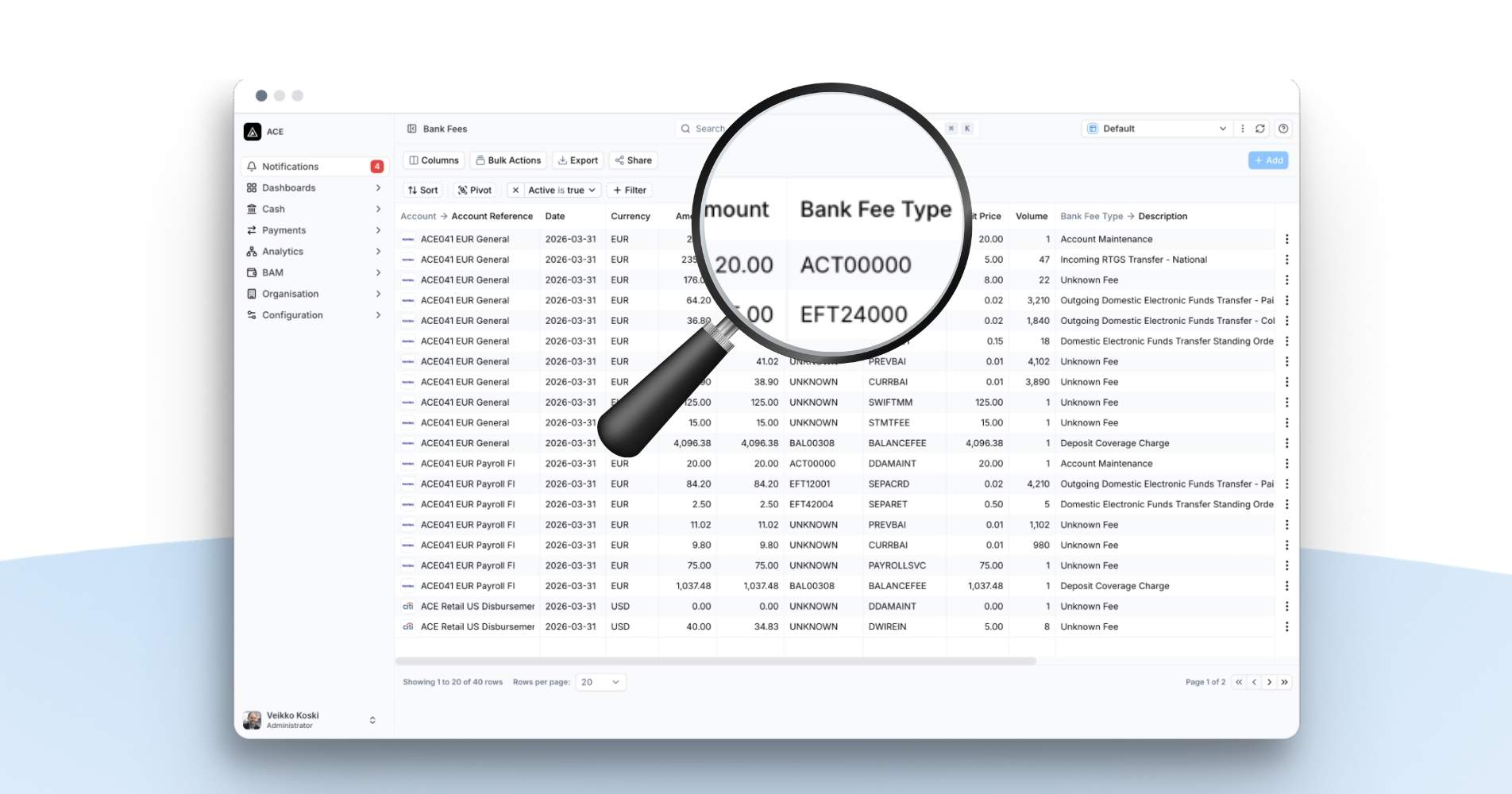
Bank fees are a good everyday example of the whole chain in action. Same fee type, same bank, month after month, already tagged the same way every time, now posted the same way every time too – without anyone touching it.
What this means day to day
Bringing treasury and accounting together.
The same transaction now powers treasury reporting, payment reconciliation, and accounting – without separate or duplicate processes. Everyone works from the same enriched transaction, eliminating different interpretations of the same cash flow. If you work with an outsourced accounting provider or new team members join, the context behind historical transactions is already there, together with the rules and explanations for how each transaction is classified and posted.
Day to day, that means less manual coding, fewer repetitive tasks, fewer errors to investigate, and no backlog of journal entries waiting until month end. And if something ever needs checking, every journal entry can be traced back to the underlying transaction and the rule that created it.
If you’re still relying on manual workflows or struggling to maintain a single reconciled view of cashflows across treasury and accounting, we’d be happy to show you what changes when the same transaction powers both.
Want to see FinanceKey in action? Get in touch to book a demo.